A smarter WordPress page loader for a better first impression.
Turn loading time into part of your brand. Add your logo, KineticPower motion, smart progress, polished transitions and smooth page reveals — with a lightweight WordPress preloader built for real sites.
Your first impression starts before the page is ready.
A visitor should not have to stare at an empty screen or a half-rendered layout while your page finishes loading. KineticHub Page Loader replaces that awkward moment with an intentional branded experience.
Use your own logo, colors and motion style, then control when the loader appears, how it communicates activity and how it hands the visitor back to the page.
A preloader does not make your website faster.
KineticHub Page Loader improves the visual loading experience and perceived presentation. It does not reduce server response time, optimize assets or pretend that simulated progress is real network progress.
Design more than the loading screen.
Control the complete experience from the moment the overlay appears to the moment your page takes over.
Brand the entrance
Logo, text fallback, tagline, shapes, colors, gradients, loading rings and logo reveal effects.
Show progress
Choose Top Bar, Bottom Line, Logo Ring, Center Glow Line or Minimal Percentage.
Choose the exit
Fade, Slide Up, Blur Lift, Split Curtain or Circle Reveal when loading is complete.
Reveal the page
Hand off with Soft Fade, Blur to Sharp, Lift In, Gentle Scale or no page reveal at all.
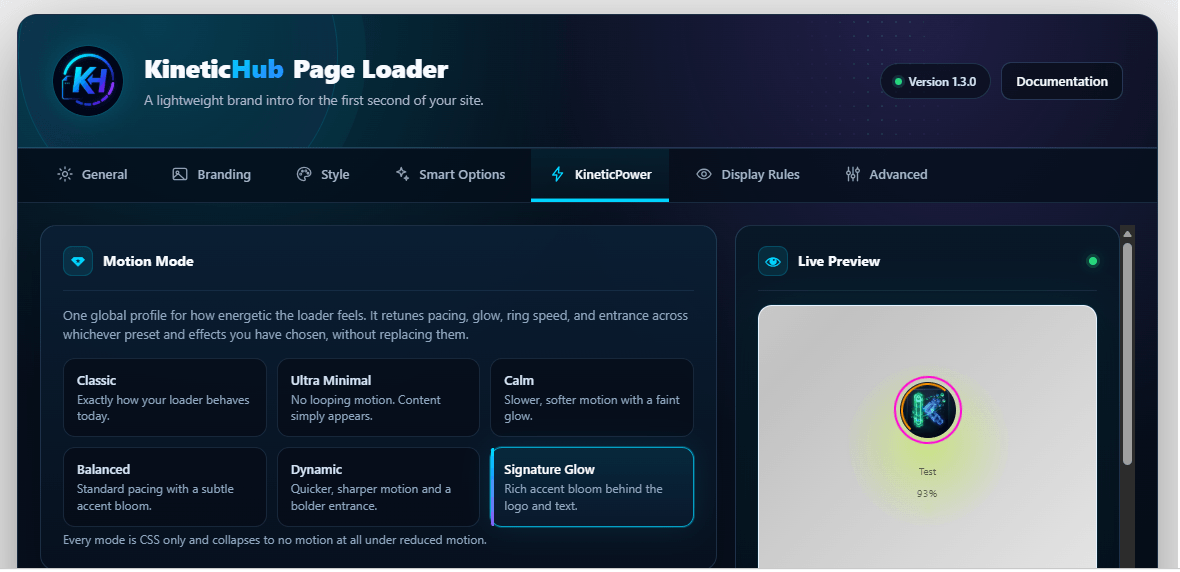
Choose the energy. KineticPower handles the motion.
Start with a motion personality instead of tuning every animation individually. Go almost invisible, keep things balanced, or make the loading moment part of the visual identity.
More control. Less annoyance.
A good loading screen should know when to appear, when to stay out of the way and when to disappear.
Anti-Flash
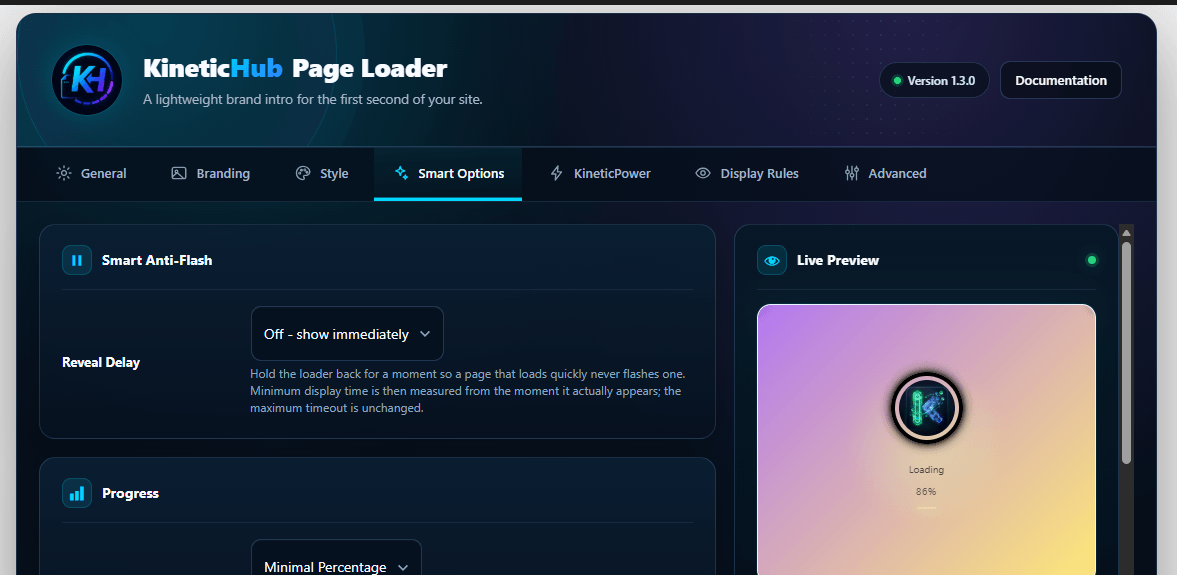
Delay the loader reveal by 150, 300 or 500 ms so very fast page loads do not create an unnecessary flash.
Frequency controls
Show on every eligible page load, once per browser session or once per day.
Display rules
Site-wide or homepage only, everyone or visitors only, desktop/mobile controls, page IDs and URL exclusions.
Smart Progress
Five visual progress styles, including Logo Ring and Minimal Percentage, plus None.
Simulated visual progress, not network measurement.Four cover modes
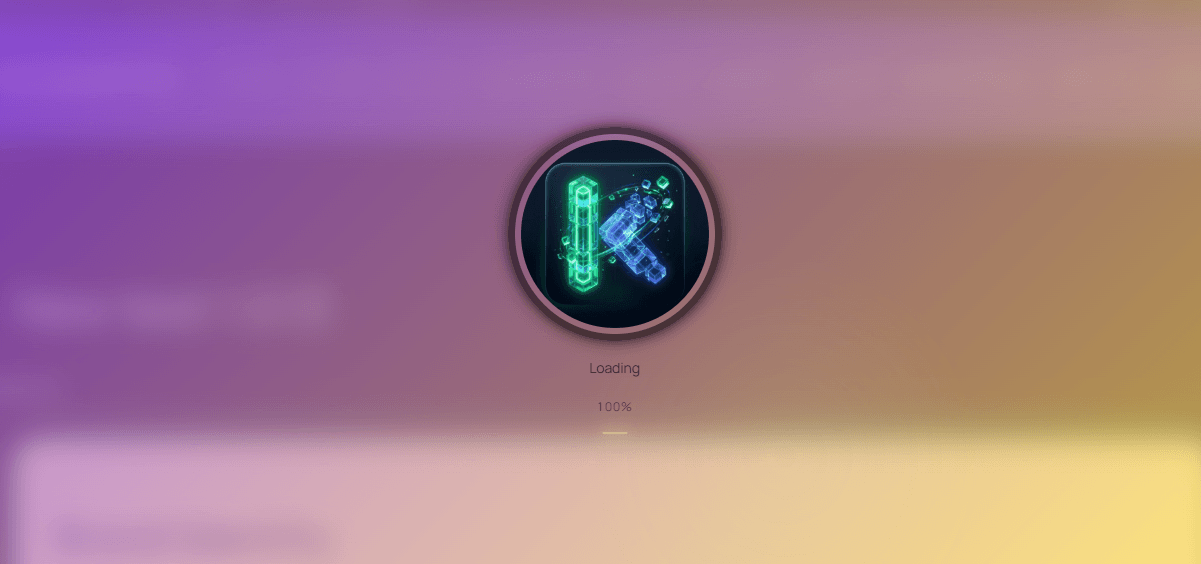
Solid, Soft Overlay, Blur Page or Glass let you decide how much of the incoming page remains visible.
Timing presets
Start with Performance First, Balanced or Brand Intro instead of configuring every timing value manually.
See the result while you build it.
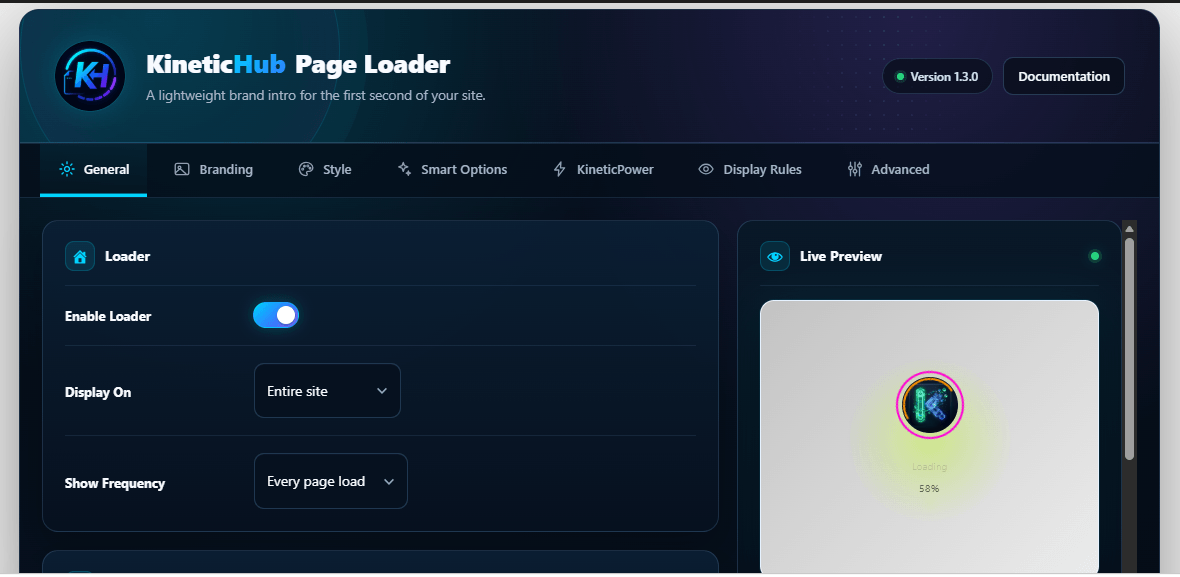
The Page Loader dashboard keeps branding, motion, behavior and display controls organized while Live Preview gives you immediate visual feedback.
Start with a preset. Make it yours.
The seven presets are only the starting point. Layer in logo effects, rings, progress, cover styles, transitions, messages and page reveals to create a loading experience that fits the brand.
Seven starting points. Hundreds of combinations.
Pick a visual direction first, then customize the details.
Minimal Pulse
Clean, understated and easy to place on almost any site.
Logo Fade
A soft entrance centered around your brand.
Gradient Sweep
Animated color movement across the loading stage.
Soft Orb
A breathing radial glow behind the brand.
Progress Bar Minimal
A restrained loading indicator for cleaner interfaces.
Circular Brand Ring
Two rotating accents frame the logo as the focal point.
Logo Color Reveal
Move from muted grayscale into full brand color.
Small touches that make the intro feel intentional.
Logo reveal effects
Fade, grayscale reveal, soft scale, shine sweep, zoom bloom or mask reveal.
Loading Message Rotator
Rotate short brand messages while the loader is visible.
Completion Pulse
Add one final visual signal when the loading sequence completes.
One loader does not need to appear everywhere.
Control audience, frequency, devices and exclusions without building custom conditions.
Visual polish without turning the loader into the problem.
Page Loader stays deliberately small in concept: CSS-first visuals, vanilla JavaScript and a lifecycle designed to clean up after itself.
Vanilla JavaScript
No jQuery dependency and no animation framework required.
Frontend remote requests
No external fonts, CDN animation assets or frontend API dependency.
Full cleanup
The loader element is removed from the DOM after it has hidden.
Reduced motion
Respects prefers-reduced-motion, avoids focus
trapping and keeps the visual overlay out of the
accessibility tree.
Live in three steps.
No template editing. No animation code.
Add the plugin
Search for KineticHub Page Loader in Plugins → Add New or install it from WordPress.org.
Build the experience
Add your logo, choose a preset, KineticPower profile, progress style and transition.
Save and go live
Choose where it should appear, save the settings and test the frontend.
Straight answers.
What the plugin does, what it does not do and how it behaves on a real WordPress site.
Read full documentationDoes KineticHub Page Loader make my site faster?
No. It improves the visual loading experience and perceived presentation. It does not reduce server response time or optimize your site’s files.
Is Smart Progress real loading progress?
No. Smart Progress is simulated visual progress — a timed animation that communicates activity. It does not pretend to measure actual network or download percentage.
What is KineticPower?
KineticPower is a set of motion profiles that changes the overall energy of the loading experience, ranging from Ultra Minimal and Calm to Dynamic and Signature Glow.
Can I stop the loader flashing on very fast pages?
Yes. Smart Anti-Flash can delay the visual reveal so a page that becomes ready almost immediately does not need to show a loading screen at all.
Can I control how the loader exits?
Yes. Exit transitions and page reveal effects are separate controls, so you can choose how the loader leaves and how the page itself appears.
Can I show it only once per session or once per day?
Yes. You can show it on every eligible load, once per browser session or once per day.
Can I exclude WooCommerce checkout pages?
Yes. The plugin can exclude WooCommerce cart, checkout and account pages, and you can also exclude individual page IDs or URL paths.
Is it really free?
Yes. KineticHub Page Loader is the complete free plugin. The loading features shown on this page are not locked behind a separate Page Loader PRO edition.
Make the first second feel intentional.
Brand the loading moment, control the motion and hand your visitor back to the page cleanly.
Need interactive Gutenberg blocks too?
Explore KineticHub Suite for animated heroes, typography, media, buttons and interactive sections.